

Microsoft Defender finds threats well. The problem is what happens after an alert fires. Someone has to configure the tools, tune detection rules, investigate incidents, and respond at 2 a.m. when no one is online. Most organizations with 25 to 5,000 users do not have that staff. Their IT team may be one engineer who also covers security, or a finance leader who took on IT.
Security operations are moving from fixed automation to AI agents that can triage, investigate and respond to incidents in Microsoft Defender XDR and Microsoft Sentinel. Traditional SOAR is struggling to keep up with that change. At the same time, some of the most effective protections are already built into Defender, waiting to be turned on.
What is an AI SOC, and Can it Work for Small and Mid-Sized Businesses?
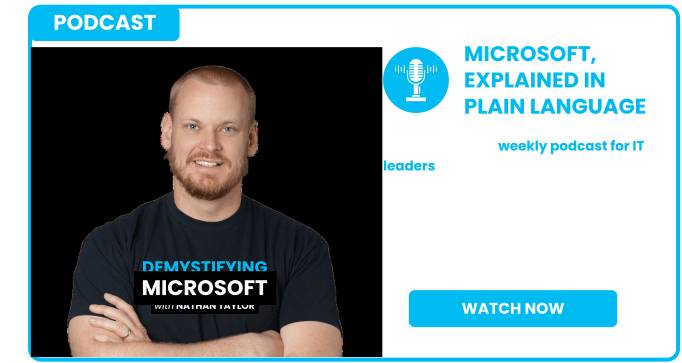
In this episode of the Demystifying Microsoft podcast, Nathan Taylor, Sr. VP and Global Microsoft Practice Leader at Sourcepass, talks with Stan Golubchik, founder and CEO of ContraForce. Stan has run security operations at scale at McAfee and Armor. Now he builds security delivery agents that help MSPs provide 24/7 security under their own brand. They discuss where Microsoft security operations break down, how agents can fill each role in a SOC and what to put in place before you trust AI with incident response.



Why are Microsoft Defender and Sentinel Hard to Manage?
The same two problems come up again and again:
- Deployment and configuration. Defender is a group of products: Defender for Endpoint, Office 365, Identity, Cloud Apps and Cloud. Each one needs the right policies and someone to own them.
- Alert and incident management. Defender detections are excellent, but every alert still needs someone to make a decision. Most teams cannot cover that work after hours.
Sentinel adds more on top of that. The unified Defender portal has made it somewhat easier to use. Teams still have to manage data connectors and playbooks, keep separate data lake tables for each tenant and write Kusto Query Language (KQL). Each of these skills adds technical debt for a small team.
Microsoft is building its own security AI agents. However, most of them require enterprise licensing that a typical Microsoft 365 Business Premium tenant does not include. Three costs keep agentic security out of reach for small businesses: inference, infrastructure and the expertise to run agents at scale.
Can you Connect a Large Language Model Directly to your Security Data?
You can, but it does not scale well. Pointing a general-purpose model at a Sentinel data lake gets expensive fast. Language models are also designed to vary their answers, so asking the same question twice can give two different results. Security operations need consistent and predictable output.
Some MSPs choose to build their own agents. The first prototype usually works well. Then the ongoing costs pile up: updating context, managing inference spend, meeting SLAs and accepting the liability when something goes wrong. Purpose-built agents tuned for specific tasks hold up better in production than one model trying to do everything.
How do AI Agents Replace Each Role in a SOC?
A fully staffed SOC needs several specialists who are hard to hire. In smaller teams, one person often covers several of these roles. Here is how agents take on each one:
|
SOC role |
What the agent does |
Speed / status |
|---|---|---|
|
Tier 1–3 analyst |
Picks up the Defender incident, runs queries, gathers evidence and returns a verdict of true positive, benign positive or false positive |
Triage starts in 10–15 seconds; verdict in 30–60 seconds |
|
Incident responder |
Chooses actions based on what was affected (user, device or mailbox) and runs them on its own |
Available today, including after-hours-only mode |
|
Detection engineer |
Audits rules, flags sudden spikes in how often a rule fires and recommends tuning that can be applied with one click |
Available today |
|
Threat intel and threat hunter |
Searches the environment for indicators of compromise and pulls in open-source threat intelligence feeds |
On ContraForce's roadmap within 90 days |
What Happens When an Incident Occurs After Hours?
For a confirmed threat, the agent responds based on what was affected:
- Compromised user: locks the account and resets the password and MFA
- Endpoint: isolates the device
- Mailbox: takes action specific to that inbox
MSPs without overnight staff can set agents to work only outside business hours. The threat gets contained overnight, and technicians handle full remediation when they log in the next morning. That matters more as the window between vulnerability disclosure and exploitation shrinks. In some recent incidents, attackers were exploiting a flaw before it was made public.
Why do Sentinel and Defender Detection Rules Need Tuning?
Defender uses custom detections and Sentinel uses analytics rules, so teams have two separate rule sets to maintain. Microsoft's Content Hub rules tend to be generic and noisy. Environments also change over time. If a rule that fired twice in 30 days suddenly fires 20 times in one day, new devices or assets have likely affected it. Untuned rules feed bad data to everything downstream: garbage in, garbage out.
Is SOAR Dead?
Not completely, but its limits are clear. Simple if-then automation still has a place. Static playbooks, however, cannot keep up with attacks that move from initial access to breach in minutes.
|
Traditional SOAR |
Agentic response |
|
|---|---|---|
|
Logic |
Fixed playbooks written in advance |
Decides based on what happened in each incident |
|
Multi-tenant setup |
New API connections and workflows for each tenant |
One standard approach across all tenants |
|
Time to value |
Some mature MSSPs report up to two years to implement |
Up-front investment, with value that builds month over month |
|
Upkeep |
Out of date as threats change |
Adjusts as threats and environments change |
Microsoft Logic Apps are a good example. Every new tenant and every new playbook means reconfiguring the setup. Agents start from the affected user, device, or mailbox and work out how far the attack has spread before they respond.
Closing the Gap between Detection and Response
Most organizations already pay for strong threat detection through Microsoft Defender. What they are missing is consistent configuration, tuned rules and someone responding at any hour. Agents now handle the repetitive investigation work, so your team can focus on decisions that need human judgment.
Talk to Sourcepass MCOE about your Microsoft Security Environment
Sourcepass MCOE helps organizations get more out of the Microsoft security tools they already pay for. Our team reviews your Defender and Sentinel configuration, finds gaps in detection and response, and sets up monitoring that covers your environment around the clock.
If you are not sure your Microsoft 365 security is configured the way it should be, start with an assessment.