

An attacker does not need your password if they already have your session token. After they get in, they rarely make noise. They read email quietly, set up inbox rules to hide replies, and wait for an invoice or wire request worth intercepting. Many organizations does not find out until weeks later, often when a vendor asks why a payment never arrived.
Identity threat detection and response (ITDR) is built to close that gap. It does not only try to block sign-ins. It watches what happens after someone authenticates and responds automatically when an account starts acting like it has been taken over. MFA alone won't stop every Microsoft 365 account takeover. ITDR closes that gap by detecting compromised accounts early, spotting the warning signs, and fitting into a broader Microsoft 365 security strategy. Petra ITDR shows how that works by detecting, remediating and documenting identity attacks, as it did in response to the recent ConnectWise Cloud Backup (formerly SkyKick) supply chain incident.
How does ITDR Work in Microsoft 365?
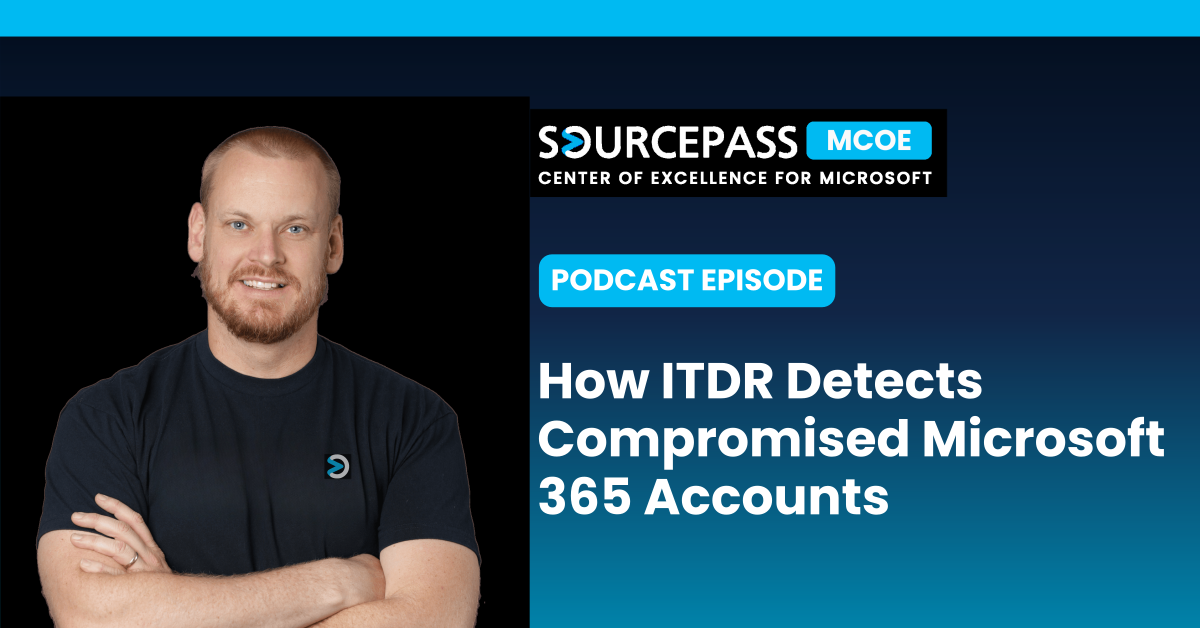
In this episode of the Demystifying Microsoft Podcast, Nathan Taylor gives a live walkthrough of the Petra ITDR platform. He opens an incident timeline, steps through the remediation workflow, and reviews the reports Petra produces for leadership, insurers, and incident response teams.



What is Identity Threat Detection and Response (ITDR)?
ITDR is a category of security tools that continuously monitors user identities for signs of compromise and acts when it finds one. Attackers now aim most of their effort at the identity layer through business email compromise (BEC), phishing, and token theft. As a result, identity monitoring has become a core part of Microsoft 365 security.
An ITDR platform pulls activity data from across the environment, correlates it, and responds automatically when an account looks compromised. The automation matters because attacks do not keep business hours. A token stolen on Friday afternoon may not be used until 1 a.m. Sunday, when nobody is watching.
What are the Warning Signs of a Compromised Microsoft 365 Account?
Legitimate users follow predictable patterns. Attackers move fast once they are in, because their first goal is to keep their access. Common indicators include:
- A sign-in from an IP address the user has never used
- A new device registered right after sign-in
- A new MFA method added right away
- New inbox rules that forward, hide, or delete messages
- Bulk mailbox searches through a Microsoft Graph connection
Any one of these might be harmless. Several in quick succession usually are not. Spotting that sequence across thousands of log entries is the work ITDR automates.
Why is not MFA Enough to Stop Microsoft 365 Account Takeovers?
MFA stops most password-based attacks, but token theft gets around it completely. If an attacker captures a session token after the user completes MFA, they can replay that token and sign in as the user. Phishing kits sold on the dark web make this technique easy to get, and AI is making phishing lures more convincing and consistent.
That's why Sourcepass recommends a layered order of operations:
- Start with the right licensing. Use Microsoft 365 Business Premium for small businesses, or Microsoft 365 E3 for organizations with more than 300 users.
- Harden the tenant. Enforce MFA, lock down email and identities, and close commonly exploited entry points such as device code flow, Direct Send, and legacy authentication (IMAP, POP3, and SMTP AUTH).
- Add ITDR. Hardening reduces how often attackers get in. ITDR limits how long they stay and how much they can do.
How does Petra ITDR Work?
Petra ITDR connects to your Microsoft 365 tenant and monitors account activity around the clock. It does not rely only on where a sign-in comes from. Instead, it looks at what an account does after it signs in. It connects signals like new device registrations, newly added MFA methods, inbox rules and Microsoft Graph activity to spot an account takeover, even when the attacker has already passed MFA.
When Petra confirms a compromise, it can revoke sessions, lock the account and remove the backdoors the attacker left behind. It then builds a timeline showing how the attacker got in, what they accessed and when they were removed.
How Long does ITDR Onboarding Take?
Onboarding starts when you approve an OAuth connection to your tenant. Read-only access is enough for an assessment. 24/7 protection needs additional permissions so Petra can take remediation actions. Log collection usually finishes in four to six hours, and correlation and analysis take another 24 to 48 hours.
Which Microsoft 365 Logs does ITDR Analyze?
Depending on your logging configuration, Petra usually ingests about six months of historical data, so it can surface compromises that happened before deployment. Sources include:
- Entra ID: sign-ins, enterprise app activity, MFA changes, and account modifications
- Exchange Online: messages sent, received, read, forwarded, and deleted, plus inbox rules
- SharePoint: files read, written, modified, and deleted
- Teams and other Microsoft 365 workloads
Some small business tenants generate 14 to 15 million log entries, which is far more than anyone can review by hand.
Is ITDR Detection Automated or Reviewed by Analysts?
It is both. Petra relies mainly on automated, AI-driven detection models, and human analysts step in when an incident reaches a higher severity.
What does a Microsoft 365 Account Takeover Look Like?
Petra flagged the following incident in a sample tenant. It matches a pattern Sourcepass sees often when responding to real compromises:
- Initial access: The user landed on a phishing page through an SEO poisoning campaign. The campaign was run by a known threat actor using a phishing kit bought on the dark web.
- Technique: The attack used attacker-in-the-middle (AiTM). A proxy sits in front of the real Microsoft login page, captures the session token, and replays it.
- Dwell time: The attacker had access for one month and 13 days.
- Activity: The attacker sent and deleted email, opened 91 potentially sensitive messages (including tax forms), and created an inbox rule to hide their activity.
- Containment: The attacker was still active when Petra scanned the tenant. The password was reset and the attacker was removed.
Weeks of undetected access is common. Many organizations only realize something is wrong after outside activity forces the question.
How do Attackers use Residential Proxies to Avoid Detection?
This attacker connected through a residential proxy. That is a network that routes traffic through internet-connected home devices such as smart TVs, cameras, robot vacuums, and refrigerators, some of which sell bandwidth to third parties. With these networks, an attacker's sign-in can look like it comes from a home near your office instead of an overseas IP address, so it slips past location-based alerts. Behavior-based detection catches what location checks miss.
How do you Remediate a Compromised Microsoft 365 Account?
Containing a compromise takes more than a password reset. Petra generates a remediation checklist for each incident, which can include:
- Revoking active sessions and resetting tokens
- Removing the phishing email from every mailbox in the tenant
- Recovering emails the attacker deleted
- Disabling malicious inbox rules
- Removing unauthorized MFA methods
- Resetting the password and re-enabling the account
Skipping one step can leave the attacker a way back in, so a consistent checklist matters as much as fast detection.
What Should a Microsoft 365 Incident Report Include?
After a compromise, leadership, cyber insurers, law enforcement, and sometimes regulators all want the same answers: how the attacker got in, what they accessed, how long they had access, and when they were removed. Piecing that together by hand in Microsoft's portals is slow, especially in the Entra sign-in logs, and it takes real forensic skill.
Petra builds a full timeline of the emails and files the attacker accessed, sent, modified, or deleted, and you can export it to CSV. It also provides these reports:
- Incident risk report: a shareable summary of the threat, the timeline, and the remediation actions
- Posture report: Secure Score, legacy authentication status, MFA coverage, global admin count, Conditional Access, external sharing, and Exchange configuration
- Policy report: plain-language explanations of recommended Conditional Access policies, which help when leadership needs to approve stricter controls
- User activity report: sign-ins, locations, collaboration, and file and app usage for a single account
- Historical scan report: confirmed and active attacks found during onboarding
- Attack landscape report: failed attacks, where attacks come from, and the most-targeted accounts
What Happened in the ConnectWise Cloud Backup (SkyKick) Security Incident?
Starting around October 15, 2026, attackers compromised enterprise applications used by ConnectWise Cloud Backup, formerly SkyKick Cloud Backup. The keys and tokens they obtained let them impersonate those apps and get into customer Microsoft 365 tenants. Because the entry point was a trusted vendor and not the customer, this was a supply chain attack.
ConnectWise's remediation guide recommends three steps: disable the affected enterprise applications, preserve incident evidence, and review sign-in and audit logs for indicators of compromise, especially activity from the IP addresses tied to the attack. Far more tenants had the apps installed than actually saw attacker activity. Every organization still has to confirm which group it is in, and that log review takes time and expertise.
How did Petra ITDR Respond to the SkyKick Incident?
Petra automatically disabled the affected ConnectWise and SkyKick enterprise apps across protected tenants. One older tenant had eight of them. Petra then searched each tenant's existing logs for the known indicators of compromise and issued a report confirming whether any unauthorized data access or exfiltration had happened. The logs were already collected and indexed, so organizations got a clear answer without having to run their own investigation.
Protecting Microsoft 365 Identities Before the Next Compromise
Identity is now the main battleground in Microsoft 365. Licensing and hardening make it harder for attackers to get in. ITDR decides how quickly you find them and how completely you remove them. The organizations that recover best can quickly answer three questions: Is anyone in our tenant who should not be? Have we closed every way back in? Can we prove what was accessed?
Not sure whether your tenant was exposed in the SkyKick incident? Sourcepass MCOE offers a complimentary Petra ITDR scan to check for signs of compromise and walk you through the results. Contact our team to discuss ITDR, tenant hardening, or your overall Microsoft 365 security posture.